★★★★★ Over 2,000 albums created with Mymories
Collect photos together: all your group's pictures in one album
Whether birthday, family reunion, company party or club outing — collect all your group's pictures in one place. Via QR code, no app required for the others, in full original quality.
Start free · no subscription · no hidden costs
- Start free, no subscription
- No app required for the others
- Original quality
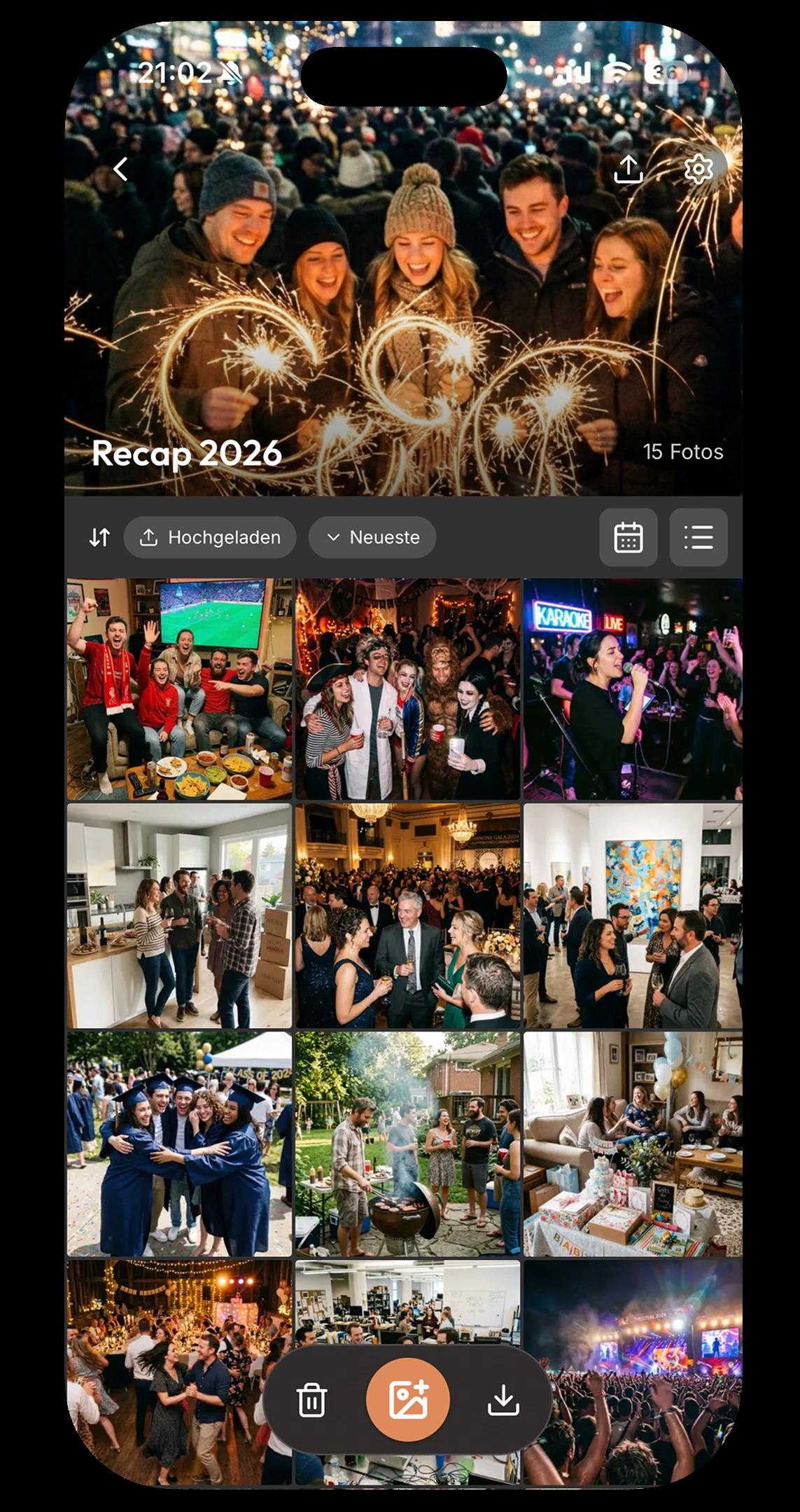
Over 2,000 weddings, trips, family celebrations and corporate events have been captured with Mymories.
GDPR-compliant · Servers in Europe · Made in Germany
Every angle of your event in one album
When several people are out together, thousands of photos are created — spread across twenty phones and five WhatsApp groups. With Mymories you collect all pictures in a shared album already during the event. Every perspective, every laugh, every spontaneous moment lands automatically where everyone can see it.


Full quality instead of WhatsApp compression, nothing gets lost
No scattered WhatsApp pictures, no full phone storage, no squashed quality. Every photo and video is collected in your private album — photos at full resolution, videos in Full HD and up to 4K if you like, ready to view and download whenever you like.
At every event, the same drama: every platform requires its own account.
Anyone wanting to share photos with multiple people runs into the same problem today: some are on WhatsApp, others use Telegram, some have a Google account, others an Apple ID. Every solution excludes at least half the group. And if you do throw all the pictures into a WhatsApp group, they end up compressed and buried among 200 other messages.
With Mymories, only one person needs the app — the one organizing the event. Everyone else needs neither app nor account: viewing pictures works directly in the browser, completely without login. Anyone who wants to upload photos themselves only needs a brief sign-up — either via the app or directly in the browser. No platform hurdles, no excluded grandparents, no WhatsApp compression.
In the end, you have a complete photo collection in full resolution — perfect for a photo book, a slideshow at the next reunion, or simply to revisit the beautiful moments peacefully. Whether birthday, club celebration, class reunion or family gathering.
How it works: before, during, and after the event
Create event in 60 seconds
Download the app, create your event with a title. Choose a cover image for the welcome page. Mymories automatically generates a QR code and album link for your group.
Share QR code or link with the group
Print the QR code on a sign, post it in your WhatsApp group, or show it at the table. Your people scan with their phone camera, enter their first name, and they're in the album. Works on any smartphone — iPhone or Android.
All photos live in the shared album
During the event, all uploaded pictures are visible in real time. After the event, you download all photos in full quality — on your phone or laptop.
Mymories vs WhatsApp, Google Photos & Dropbox
| Feature | Mymories | Google Photos | Dropbox | |
|---|---|---|---|---|
| Original quality | compressed | |||
| Works for iPhone + Android | ||||
| No account/login to view | Google account required | account required | ||
| Live album during the event | chat chaos | partial | ||
| All participants in one album | invitations required | |||
| Without ads & tracking | ||||
| Built specifically for event photos | ||||
| Cute raccoon mascot 🦝 😍 |
Everything you need for your shared photo collection
One album for everyone involved
Instead of ten WhatsApp threads, five AirDrop actions and three email attachments, everything lands in one place. Everyone in the group uploads their pictures — you have a complete collection at the end instead of scattered fragments.
Original quality, not compressed
WhatsApp compresses pictures to about 100 KB — for a beautiful group photo from a birthday, you feel that painfully. Mymories stores your photos in full resolution. That makes the difference when you want to print a photo book or enlarge individual pictures.
Live album already during the event
As soon as someone uploads a photo, everyone else in the group sees it. The shared memory album builds up while the event is still running — and later you'll see moments you didn't catch yourself.
Upload queue: no photo gets lost
Even when the WiFi at the venue is weak or you're sitting on the bus between two stops: Mymories stores your pictures locally in a queue and uploads them automatically as soon as your phone has a connection again.
Password-protected album
Optionally, protect your event with a password. Only those who know the password can see and upload pictures — useful for family celebrations or internal corporate events.
Privacy from Germany
Mymories is GDPR-compliant and developed in Germany. Your pictures are transmitted encrypted and stored on servers in Europe. We don't sell data and show no ads.
No matter what event you're celebrating
Birthday & party
From the 30th in the garden to a themed party with 80 people: instead of asking the WhatsApp group for pictures the next day, you collect all photos already during the celebration. Print the QR code on the table card or show it on your phone — and on Sunday morning you already have all the memories in the album.
Corporate events & team meetings
Summer party, Christmas celebration, team building or conference: Mymories collects all impressions from your colleagues in one central album — without anyone needing a corporate cloud account. Perfect for internal newsletters, social media posts, or simply for the memory of a successful event.
Family reunions & generation celebrations
At family reunions, milestone birthdays or the 50th wedding anniversary, every generation photographs differently — and Grandma is reluctant to install a new app. With Mymories, she doesn't need to: scan QR code, enter first name, done. All pictures from all generations land automatically in the same album.
Planning a wedding or a vacation? We have specialized pages for wedding photos and vacation pictures.
Frequently asked questions about collecting photos together
Ready for your most beautiful shared photo collection?
Create your event in 60 seconds. Free to start, no app requirement for your group, in full original quality.
Free · Pictures stay even after the event · No subscription · GDPR-compliant

Get Mymories
Available on iPhone and Android — download the app and collect moments with the people you love.
Contact
Have questions or feedback? We'd love to hear from you!