★★★★★ Over 2,000 couples celebrate with Mymories
One QR code for your wedding, all your guests' photos
Your guests scan the QR code on the place card, enter their first name and upload their photos straight into your shared album. No app install, no sign-up, full quality. And afterwards you relive your wedding from every perspective.
Start free · no subscription · no hidden costs
- Guests don't need an app
- Photos & videos in original quality
- Free printable sign template
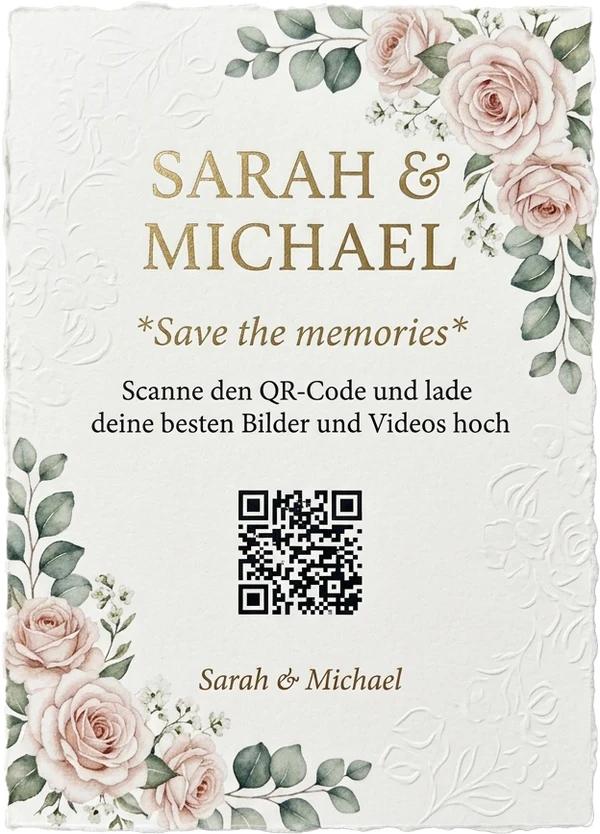
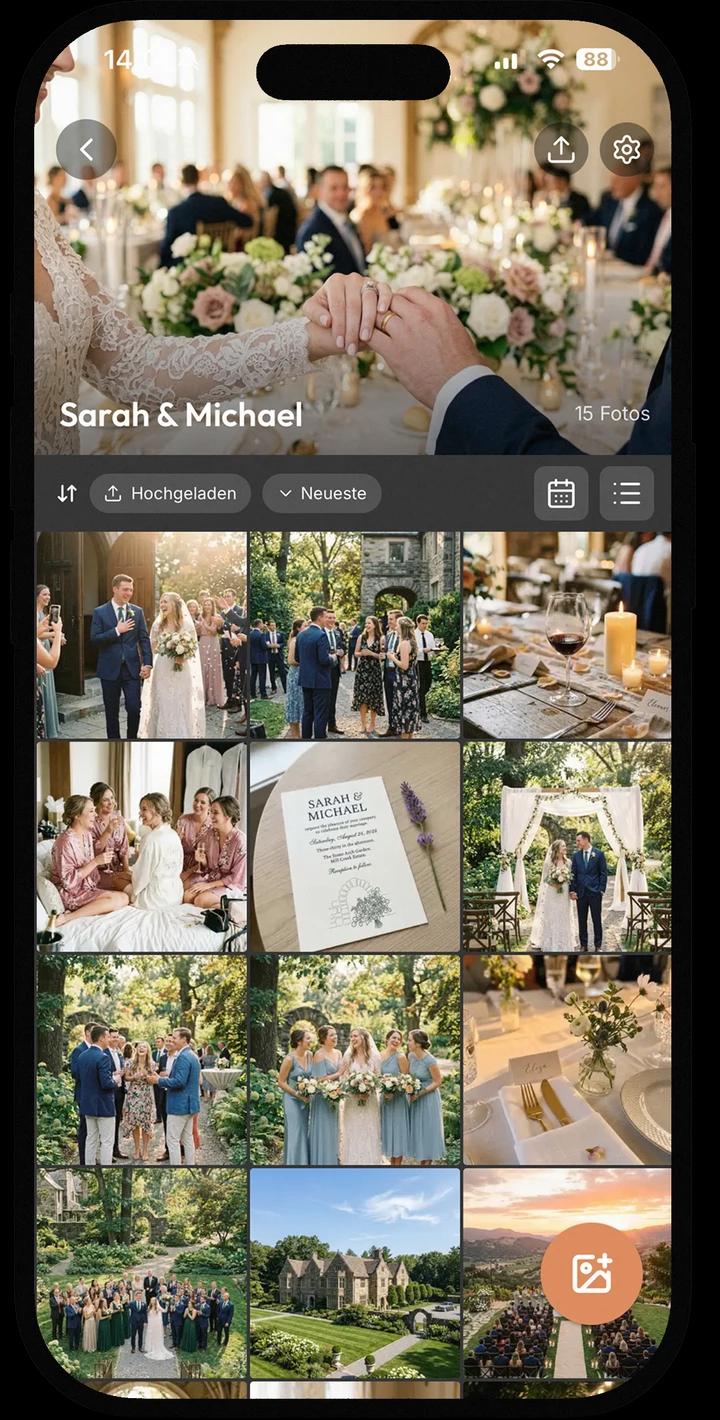
Over 2,000 weddings and events have collected their memories with Mymories.
GDPR-compliant · Encrypted · Made in Germany · No ads
Why a QR code saves your wedding photos
A wedding QR code takes your guests straight into your shared photo album, no app and no sign-up, with every picture arriving in original quality. Why does that matter? More photos are taken at weddings today than ever before. A hundred guests means a hundred phone cameras, hundreds of moments no photographer in the world can catch all at once: the laughter at the kids' table, the impromptu toast from the college friends, your best friend during the first dance. All of these special moments have already been captured. The problem? Most of them never reach the couple. The day after, a few pictures trickle in via WhatsApp, compressed and unsorted. The rest stays where it is: on your guests' phones.
The solution? A simple QR code.
You print it on the place cards or set up a small sign, your guests scan it with their phone camera and land right in your shared wedding album. There they upload their photos and videos while the party is still going. Wonderfully simple, no sign-up needed.
And the best part: you don't have to chase anyone. After the wedding, everything sits collected in one place, in original quality instead of poor WhatsApp quality, ready to download, browse and reuse.
Your wedding QR code in three steps
Create the event, get your QR code
Download Mymories and create your wedding event with a title and date. Mymories generates the matching QR code and event link automatically.
Event created in under 1 minute
Make the QR code visible
Print the code on place cards or menus, or use our free printable sign template. All that matters: clearly visible on every table. The printed QR code should be at least two to three centimeters wide.
Works with every phone camera
Collect photos, watch live
From the first scan, your album fills itself. All guests see the pictures in real time, and you can scroll through the whole celebration over breakfast the next morning.
In original quality, ready to download
Free template: QR code sign for your tables
To make the QR code look good at your wedding, we designed a print-ready template for you: an A5 table sign saying “Share your photos with us!” with space for your personal QR code from the app. Download, insert or stick on your QR code, print, and place it on the tables. The template also works in black and white, QR codes don't need color.
Download the free template (PDF)No email address required. Just download.
QR code with Mymories or DIY with Dropbox?
As of July 2026
| Mymories | Dropbox + QR generator (DIY) | |
|---|---|---|
| Setup | under 1 minute, QR comes automatically | create file request, shorten link, generate QR externally |
| Cost | €0 · unlimited for a one-time €11.99 | €0 (2 GB), then Dropbox subscription from €11.99/month |
| Storage | unlimited in the Ultra package | 2 GB free, roughly 500 phone photos |
| Guests see each other's pictures | ||
| Live experience at the party | ||
| Videos | counts toward storage limit | |
| Original quality | ||
| Password protection for the album | limited |
The DIY route works, no question. But it ends exactly where it gets fun: your guests upload photos into a silent folder and never see what the others captured. The live album is half the fun at the party itself.
What your wedding QR code can do
Guest access without an app
The QR code leads straight to the album in the browser. Viewing and uploading photos works on any smartphone, no installation needed. Anyone using the app additionally gets push notifications for new pictures.
Live album during the celebration
All uploaded photos appear in real time for all guests. Taking pictures becomes a game in itself, and you discover moments you missed on the very same evening.
Original quality instead of compression
WhatsApp squeezes photos down to a fraction of their size. Via the QR code, pictures arrive in full resolution, perfect for photo books and enlargements.
Optional password protection
If you want to make sure only your guests enter the album, protect the event with an additional password.
Videos included
The speech, the first dance, the fireworks: your guests upload videos alongside photos, in up to 4K if you like.
Data protection from Germany
GDPR-compliant, developed in Germany, stored on servers in Europe. Your wedding photos belong to you, we show no ads and sell no data.
Frequently asked questions about wedding QR codes
Your QR code is ready in 60 seconds
Create your wedding event, print the QR code for the tables and let your guests do the rest. Start free, no risk.
Free · No ads · GDPR-compliant · Made in Germany

Get Mymories
Available on iPhone and Android — download the app and collect moments with the people you love.
Contact
Have questions or feedback? We'd love to hear from you!